Free lawyer check within 24 hours


Expanding your business beyond borders requires one essential ingredient: seamless global payments. That’s where Wise Business comes in. Opening a Wise business account for global sales allows companies to send, receive, and manage money in multiple currencies at real exchange rates. Whether you’re an e-commerce brand, freelancer, or international supplier, Wise helps eliminate traditional banking barriers — making global business truly borderless.
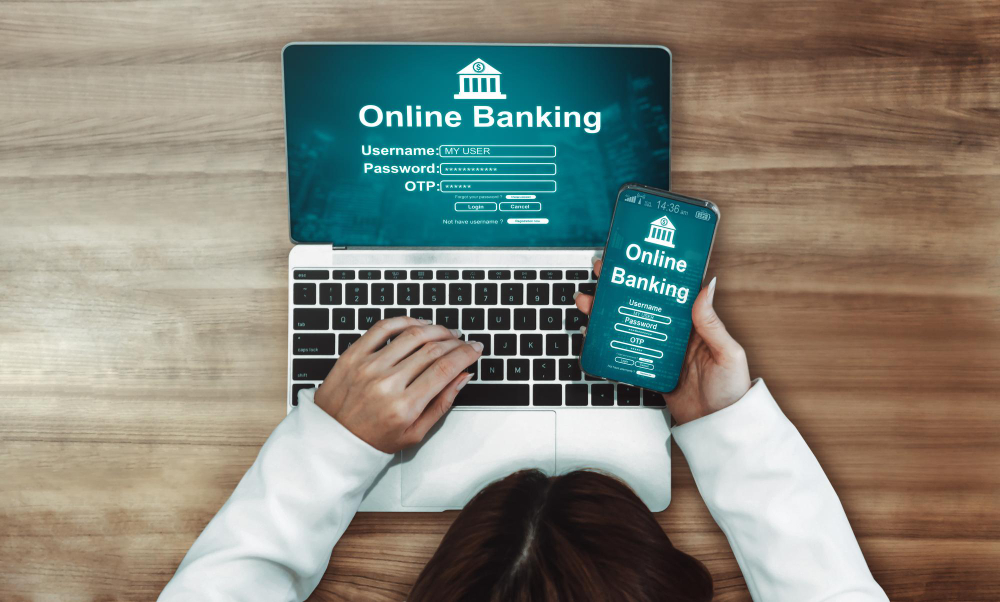
Wise, formerly known as TransferWise, is designed for modern businesses that operate internationally. Traditional banks often charge high fees and use unfavorable exchange rates for cross-border transactions. In contrast, Wise Business provides a transparent, low-cost alternative that supports over 160 countries and 40+ currencies.
For businesses managing international payment transfers, Wise offers dedicated account details (like local bank information) in multiple countries, allowing you to receive payments as if you had a local account there. This feature is particularly useful for companies selling through global platforms such as Amazon, Shopify, or marketplaces that pay in foreign currencies.
Setting up a Wise Business account is quick and entirely online. The process typically takes less than 10 minutes, depending on verification requirements. Below are the key steps you’ll follow.
Go to wise.com and select Business Account from the homepage. Wise will ask whether you’re setting up an account as a company or as a sole trader. Choose the option that best represents your business structure.
You’ll need to enter your business name, registration number, industry type, and contact details. This information helps Wise verify your company’s legitimacy and ensure compliance with international financial regulations.
You may also be asked to upload supporting documents such as business registration certificates or proof of address.
Wise performs identity verification for both security and compliance reasons. You’ll need to upload a government-issued ID and sometimes provide a short video or selfie for confirmation. For businesses, the account holder or authorized person must also verify ownership by submitting relevant company documents.
Next, connect an existing bank account to fund your Wise Business account. This linked account will be used for adding money or receiving withdrawals. You can also deposit funds using a debit card or wire transfer.
Once verified, you’ll receive local bank details in major currencies such as USD, GBP, EUR, and AUD. This means your international clients can pay you in their local currency without facing conversion costs. You can then hold, convert, or transfer money across currencies at the real mid-market exchange rate.
After opening your Wise Business account, managing global sales becomes significantly easier. You can handle invoices, vendor payments, and salary transfers with minimal friction.
Wise gives you unique local account details in multiple countries. For example, you can receive EUR payments with an IBAN, USD payments with an account and routing number, or GBP payments via a UK sort code all within one platform. This makes it easier for global clients to pay you in their own currency, avoiding the international transfer fees common with banks.
When sending money to suppliers or freelancers abroad, Wise uses the real mid-market exchange rate the same rate you’d see on Google. There are no hidden markups, and transfer fees are transparent before you confirm the transaction.
Wise Business supports integration with accounting tools like Xero, enabling you to reconcile transactions automatically. You can also send batch payments, ideal for paying multiple international vendors or employees at once.
Instead of converting every payment right away, you can hold balances in different currencies inside your Wise Business account. This is especially beneficial when dealing with fluctuating exchange rates — you can wait for favorable rates before converting.
Opening a Wise Business account for global sales isn’t just about reducing fees. It’s about operational efficiency. Here’s why thousands of businesses choose Wise for their international payment transfers.
Traditional bank transfers often come with hidden charges. Wise displays its fees upfront and keeps them significantly lower by bypassing the SWIFT network for many transfers.
Unlike banks that add hidden margins to exchange rates, Wise uses the mid-market rate, meaning you always get a fair conversion value.
Wise’s network allows for instant or same-day transfers in many countries, speeding up your international business operations and improving cash flow.
Wise is licensed and regulated in every region it operates. Your funds are stored securely, and Wise uses advanced encryption and authentication to protect business data.
To get the most from your Wise Business account, consider these best practices:
Keep Records of All Transactions: Always download and store your transaction receipts. These are essential for accounting and compliance, especially when dealing with multiple currencies.
Leverage Wise’s API for Automation: For businesses processing a high volume of international transactions, Wise offers an API that can automate payments, reconciliation, and reporting tasks.
Monitor Exchange Rates Strategically: Exchange rates fluctuate daily. Use Wise’s built-in alerts to track preferred rates and convert funds at the most cost-effective times.
Yes. Wise Business is ideal for small to medium-sized businesses that frequently send or receive money across borders. It’s also great for freelancers and remote teams.
Typically, account verification takes 1–3 business days. If additional documents are required, Wise will notify you via email.
Yes. With Wise, you can receive payments in USD, EUR, GBP, AUD, and other major currencies using local account details.
No. Wise Business does not charge monthly or account maintenance fees. You only pay per transaction, and fees are shown transparently before confirming.
Wise is regulated by financial authorities worldwide and uses bank-grade encryption, two-factor authentication, and regular audits to ensure security.
Opening a Wise business account for global sales is a smart move for any company aiming to operate internationally with minimal cost and maximum control. By combining multi-currency management, transparent fees, and real exchange rates, Wise makes international payment transfers faster and more efficient. For global sellers, this flexibility translates into better margins, faster cash flow, and seamless integration across international markets.
in MarcaBien?

Free lawyer check within 24 hours

Registration, litigation support and trademark monitoring

Simple online and online 3-step process

Global branding services and support

Registration, litigation support and trademark monitoring
Your brand is safe with us with 95% success rate
Process Work

In order for a trademark to be registered, it must meet the distinctiveness criterion. Results and advice within 24 hours.

After completing the order, we will draft an application. Once approved, we will file it on your behalf, providing legal representation.

The application is evaluated by the relevant Intellectual Property Office (IPO), published and approved for possible objections.

After a successful registration, your trademark is valid from the date of application and retains the right of priority throughout the process.
Contact Us

Secure and register your brand!